
Strategy and experience shape my design.
AI pushes it further.
I frame the right problems, bring perspective built across consumer and enterprise products, and make the calls that matter. AI is the partner that helps me move faster, see more options, and stress-test every decision before it ships.
Here's how AI shows up across my design process:
Rapid prototyping in code
I “vibe-code” working prototypes to get clickable concepts in front of stakeholders in hours, not days. Even if the visual polish isn’t there, real interaction beats static mockups for feedback.
Real example: I needed to redesign a simple but massive page of over 300 consumer attributes into an organized and searchable interface that was not overwhelming. Using Figma Make, in just a couple hours I created three different interactive designs and we picked the best one to move forward into design polish.
Pressure-testing designs
I run user flows and screens past AI for critique before reviews — catching things like usability gaps, weak hierarchy, and unclear controls while there's still time to fix them easily.
Real example: I designed a search results page that had additional sorting and filtering available from the original search filters, so I leveraged AI to ensure that each set of controls was visually positioned and labeled in a clear way for the user.
Research Synthesis
I use AI to find patterns and callouts across things like reports or proposals, turning piles of quantitative data into themes I can actually act on.
Real example: I was tasked with designing and building an interactive report on AI from a survey we commissioned of over 14,000 people. I put AI to work analyzing charts and data from the survey, and was able to pull out conclusions (backed by our data) and build a narrative for the report.
UX copy and micro-copy
I generate and refine button labels, modal copy, empty states, and error messages — tightening wording until I’m confident in user clarity.
Real example: There are many “fork-in-the-road” situations where a user needs to make a decision, often with a “destructive” option. I use AI to ensure each option is clear for the user, and they know what will happen with each choice.
Working with AI shapes how I design for it.
Using AI daily has helped me see where AI belongs and where it doesn’t, and has sharpened how I approach designing AI features into products. I know firsthand what makes these tools feel useful versus frustrating and transparent versus opaque. I bring those same instincts to designing AI-powered experiences for users.
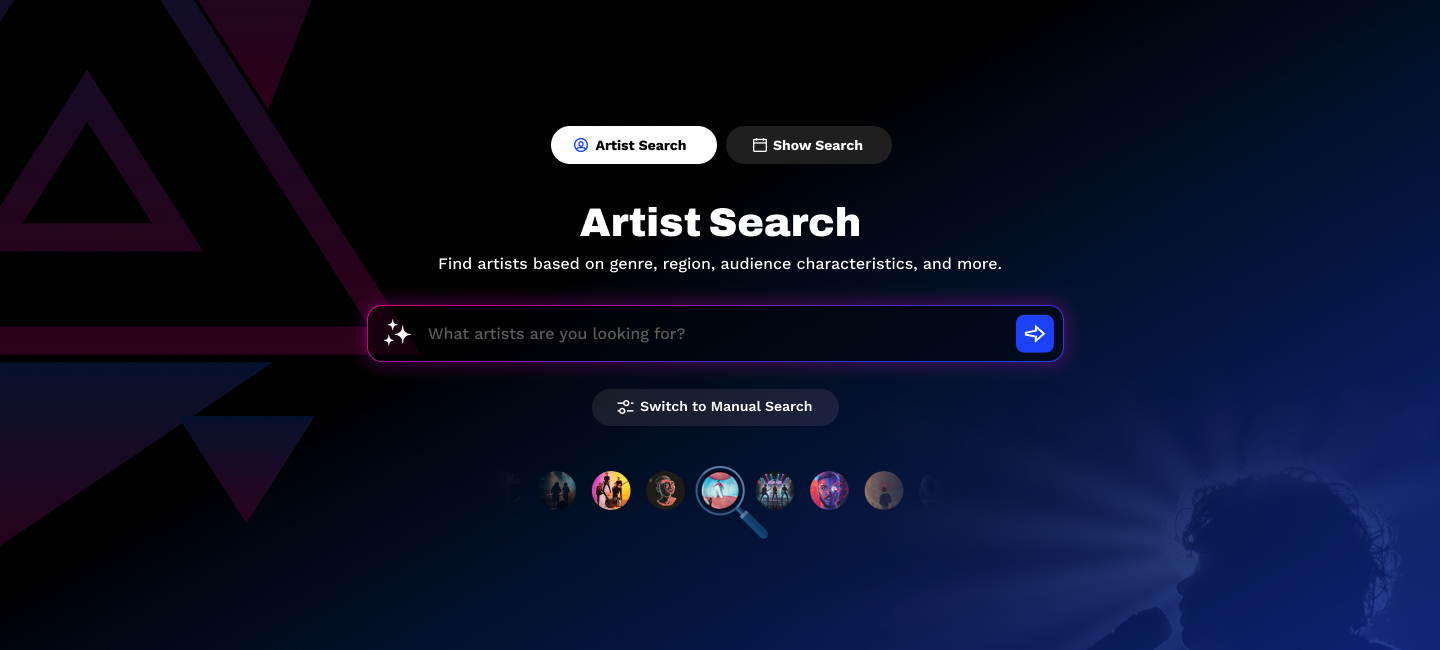
AI Artist Search (MAX)
This tool allows users to enter a plain language prompt in order to find artists that match their desired characteristics. The system can filter things like genre, audience reach, and even what their fans like. We allow the user to switch to a manual search mode to select and build their own filters.
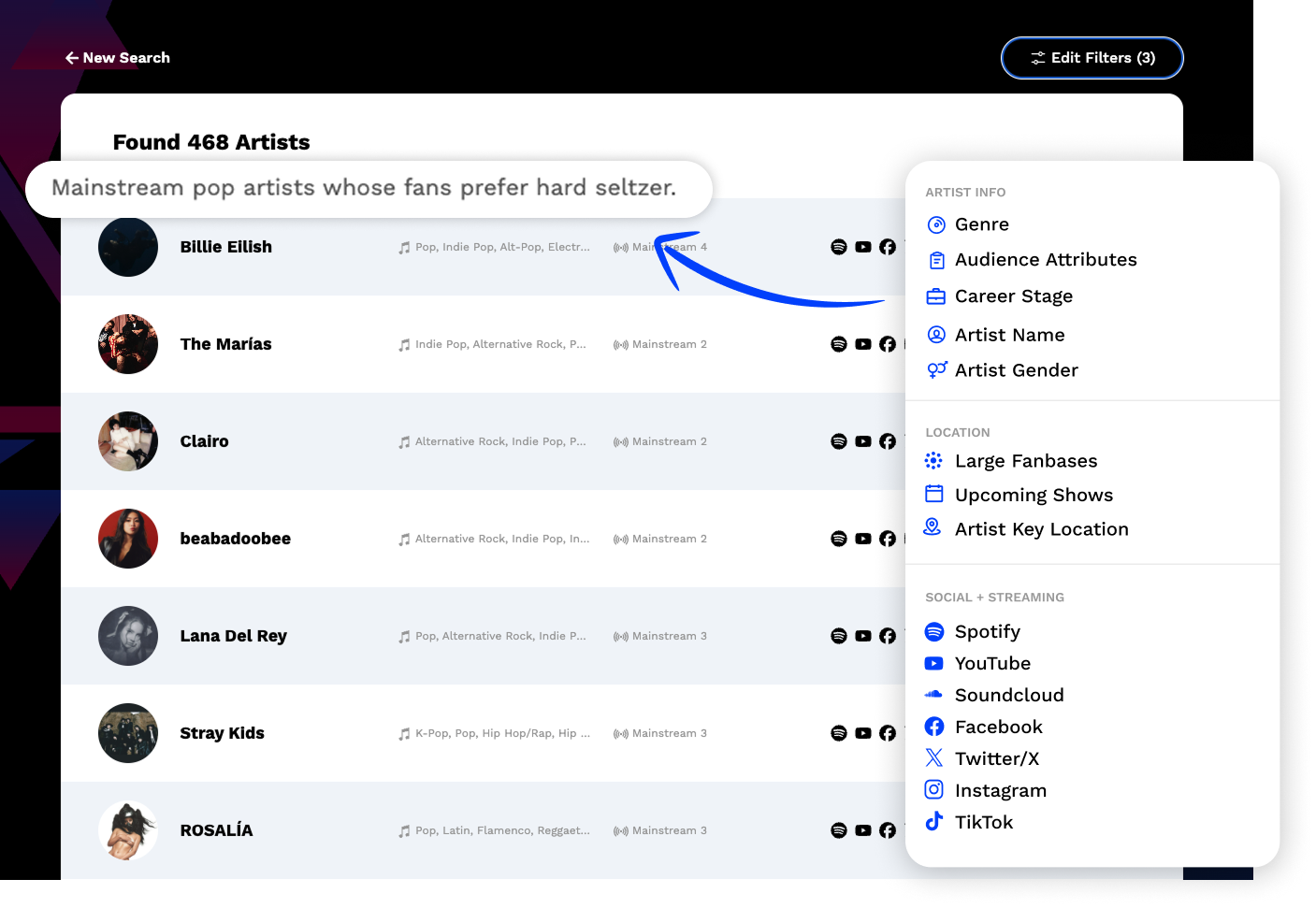
“Auto-Magic” Filter Detection
The AI input saves time by automatically detecting the desired filters based on the user’s input and translating it to a plain-language description. Once the search happens they can tweak the filters as needed in their results view.
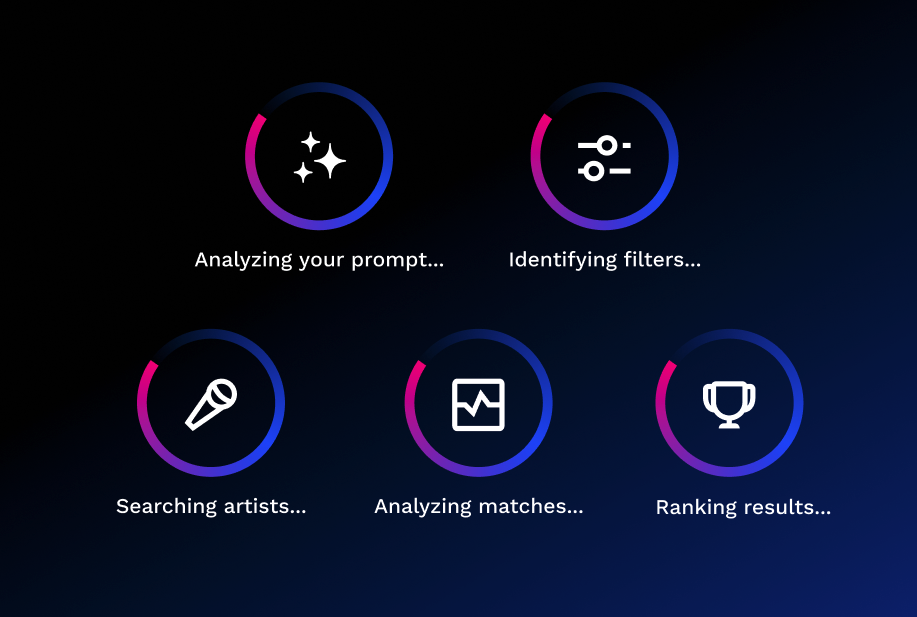
Informative Processing Steps
After entering a prompt, the user may have to wait for a short time while the AI builds the filters and analyzes the matching artists. I created a stepped loader to inform and comfort the user about things happening behind the scenes.
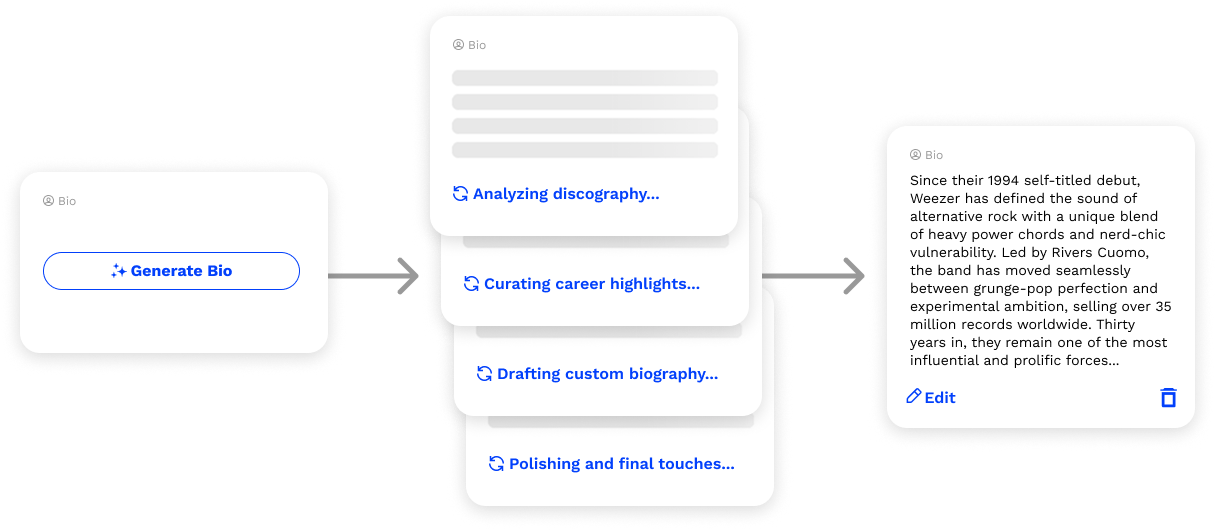
AI-Generated Artist Bios
AI features earn trust by showing their work and handing off control. This one-click bio generator for artist profiles offers a single, confident action instead of a blank field that puts the burden of prompting on the user. The loading sequence narrates the work in plain language, turning wait time into transparency about what the AI is actually doing. The result is fully editable text rather than a fixed output, meaning the user still has ultimate control.

AI Assistant for a major energy company
I worked with one of the worlds leading energy services company (name redacted) to develop a one-stop solution for those who manage oil and gas wells. This comprehensive dashboard included an AI assistant (SOFIA) that would generate solutions based on past performance and data from the field. The user can review the recommendation before accepting it, ensuring a level of human checks and balances.

Conversational AI
The strategic challenge was deciding where to constrain the AI and where to let it breathe. Tappable options encourage users toward inputs the model can act on confidently, while a persistent text field preserves the ability for a custom user input. Selected times remain in the thread as a visible record of decisions, and the final confirmation hands users back to email at the moment commitment becomes real.
Report on AI Adoption
A data-rich report built from a survey of 14,000+ respondents — designed to answer a question most reports ignore: what is the reader supposed to do with all of this? Survey data is easy to publish but hard to make meaningful. I used AI as a research partner to draw out conclusions and build a narrative that would mean something to the reader. I designed and storyboarded interactivity throughout the long scrolling page to make the data come to life, using animations and transitions as a storytelling element rather than a gimmick. I created the logo for this campaign and directed branding elements including text treatments, interactive elements, and imagery.
AI is most useful in research when it expands what you can see, not when it decides what matters. My role was to find the story in the data and present conclusions worth reading.